

SD card image and first boot
Every new ethoscope needs an image with the operating system and the ethoscope software, written to a microSD card or to an SSD drive. An SSD is more reliable; both are described below.
Get the image
Section titled “Get the image”The image changes from time to time, so always check the node’s Resources page, or the ethoscope resources page, for the current one. Zipped images do not need to be unzipped before writing.
The current image, based on Raspberry Pi OS (64-bit), runs on the Raspberry Pi 3 and 4 and configures the camera for either model by itself. It does not boot the Raspberry Pi 2; on a Raspberry Pi 5 the camera works but the LED light can only be switched on and off, not dimmed.
Option 1: a microSD card
Section titled “Option 1: a microSD card”microSD cards have been the ethoscope’s drive since the start, and they are its weakest part. The card is by far the most common point of failure of an ethoscope: tracking writes to the database day and night, and consumer cards are not designed for that. They will fail; the only question is how soon. Choosing the card is the most important hardware decision you will make.
Choosing a microSD card
Section titled “Choosing a microSD card”In order of importance:
- High endurance (surveillance grade). This is the specification that matters. Cards sold for dashcams, security cameras or continuous video recording, such as SanDisk High Endurance or MAX Endurance, Samsung PRO Endurance and Western Digital Purple SC QD101, are built for continuous writing and last many times longer than generic cards. A generic “fast” card can look identical on paper and die within weeks under an ethoscope’s load.
- A2 application class (A1 at the very least). A2 guarantees about 2000 random-write operations per second, which the SQLite tracking database benefits from; A1 guarantees 500.
- 64 GB or more. 32 GB still works for tracking-only experiments but is tight if you also record video; 64–128 GB is the sweet spot. Avoid 256 GB and larger unless you need the space: most consumer cards that size have lower endurance per cell.
- U3, V30 or Class 10. Any modern card qualifies; an ethoscope writes only a few MB/s, so raw speed is not the bottleneck.
- A reputable brand (SanDisk, Samsung, Kingston, Lexar, Western Digital), bought from the manufacturer’s store, Farnell, RS or another trusted reseller. Counterfeits are common on marketplaces.
Avoid “standard”, “Ultra” or “EVO” consumer cards sold in cheap multipacks (they work, but expect to replace them every few months), unbranded bulk cards, and cards whose capacity does not match a standard size, a sign of a fake.
Even the best card is a consumable: keep a couple of spares, and never unplug a running ethoscope (see the caution at the end of this page). If long-term reliability is critical, use an SSD instead (option 2).
Cards tried in the lab over the years:
| Card | Verdict | Notes |
|---|---|---|
| Samsung EVO Plus 32 GB, red | Works | Two sizes exist: 32,044,482,560 bytes (62,586,880 sectors) and 32,010,928,128 bytes (62,521,344 sectors) |
| Samsung EVO 32 GB, light orange | Avoid | Fails more often than the red EVO Plus; 32,010,928,128 bytes |
| Samsung EVO 32 GB, dark orange | 32,010,928,128 bytes | |
| Apacer AP32GMCSH10U1-R 32 GB | Avoid | Slightly smaller than the Samsung cards (31,719,424,000 or 31,054,626,816 bytes) |
| Hama 32 GB, UHS-I, Class 10 | Avoid | Some are smaller than 32 GB (31,666,995,200 or 31,331,450,880 bytes) |
| Hama 32 GB, UHS-I, Class 10, matte surface | Avoid | Failed as soon as ext4 partitions were created; 31,266,439,168 bytes |
Writing the card
Section titled “Writing the card”Write the image with balenaEtcher, which runs on Linux, macOS and Windows and writes zipped images directly. You may need a USB microSD card adapter.
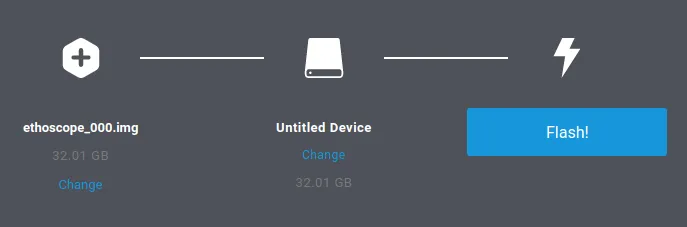
How the SD card image is built explains how to make your own image.
Option 2: an SSD
Section titled “Option 2: an SSD”A Raspberry Pi 3 B+ or 4 (and almost certainly a 5, although this is untested) can run from an SSD instead of a microSD card, connected through a SATA-to-USB adapter. Some adapters come with two USB-A plugs instead of one; these are preferable because they supply current more steadily. The drive does not need to be large: second-hand 120 GB drives are fine.
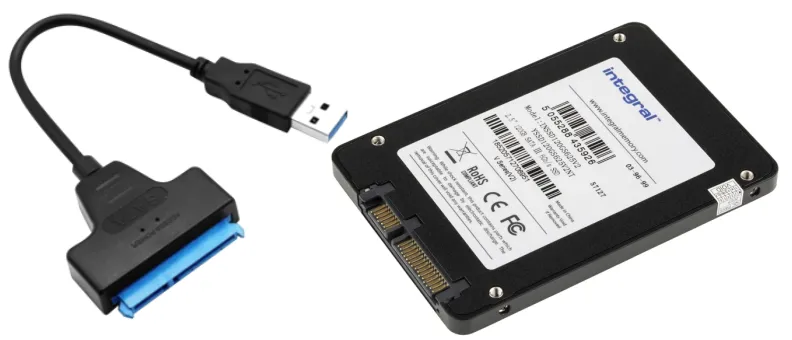
SSDs have been tested less than microSD cards but have worked well so far. They are much faster and far more reliable under constant writing, so they last a long time, and their extra space holds more video. The SSD image is built with the same procedure as the SD card image.
First boot and settings
Section titled “First boot and settings”Once a new ethoscope is online, it appears as ETHOSCOPE_000 on the node.
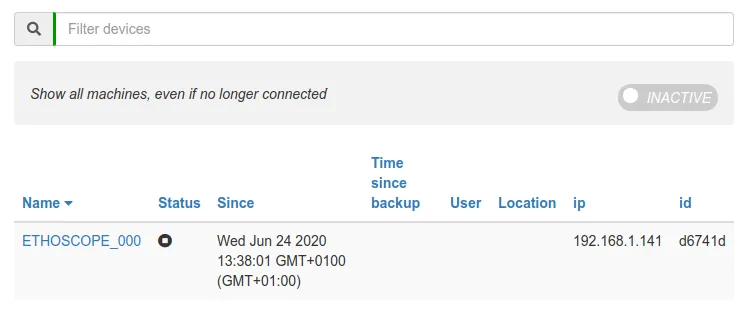
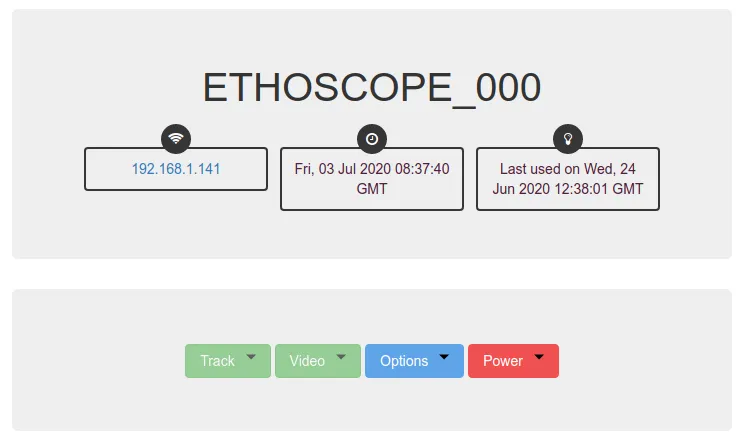
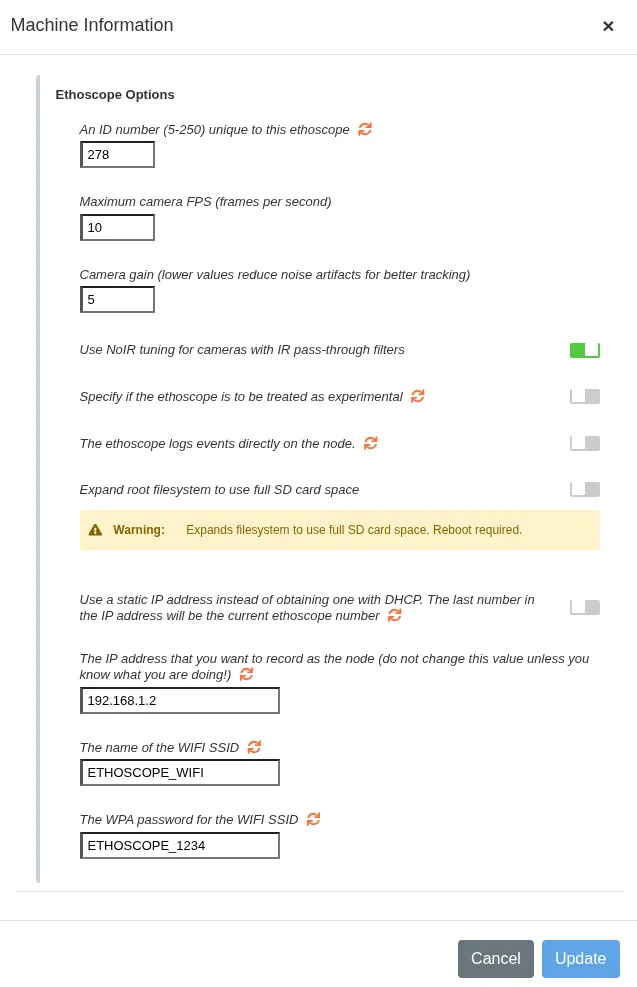
Its page shows it as inactive, and its date may be wrong at first; the node soon corrects the clock. To activate it, open Options → Settings.
Identification
Section titled “Identification”- Ethoscope ID number: a number unique to this machine, between 5 and 250. No two machines may share an ID, or their data will conflict.
Camera
Section titled “Camera”- Maximum camera FPS: frames per second captured by the camera (default 10). Higher rates give smoother tracking but need more processing power and storage.
- Camera gain: the sensitivity of the sensor. Lower values reduce noise and give cleaner tracking.
- NoIR tuning: switch on if the camera has no infrared filter (NoIR). It optimises the colour profile for infrared light.
System and storage
Section titled “System and storage”- Experimental: marks the machine as experimental. Experimental machines can process video files instead of a live stream, and can work with USB cameras.
- Logging: “The ethoscope logs events directly on the node” sends the ethoscope’s log to the node.
- Expand root filesystem: extends the partition to use the whole card. This needs a reboot, so never enable it while an experiment is running.
Network
Section titled “Network”- Static IP address: assigns a fixed address instead of asking for one by DHCP. The last number of the address is set to the ethoscope ID.
- Node IP: the address of the node that records the data,
192.168.1.2by default. Do not change it unless you know your network layout well; a wrong value disconnects the ethoscope from the node. - Wi-Fi SSID and WPA password: the Wi-Fi network to join, by default
ETHOSCOPE_WIFIwith passwordETHOSCOPE_1234.
Click Update to save the settings and apply them (some, such as expanding the filesystem, restart the machine), or Cancel to close the window without saving. Fields marked with orange arrows are read back from the device. After updating, reboot the ethoscope; it is then ready to use.
A new ethoscope is most likely out of focus: see Camera and focus.