

Sleep deprivation module
The sleep deprivation (SD) module rotates a fly’s tube when the ethoscope sees that the fly has been still for too long. It is MODULE 0 of the modular system, and the same motor assembly is used in MODULE 1 (with valves) and MODULE 3 (with LEDs). It consists of:
- a case holding the electronics and, optionally, AA batteries;
- an upper part holding ten N20 motors, five on each side;
- a cover that holds the motors in place.
It works with the standard sleep arena, whose tubes can rotate.
The electronics
Section titled “The electronics”The board and its components are described in Module electronics.
Soldering
Section titled “Soldering”The board carries few components and soldering them is straightforward. For motors, use the connectors M1–M10. To save space in the case, use right-angled headers and solder them tilted slightly upwards: a small fold of paper under the headers holds them at that angle while you solder the back.
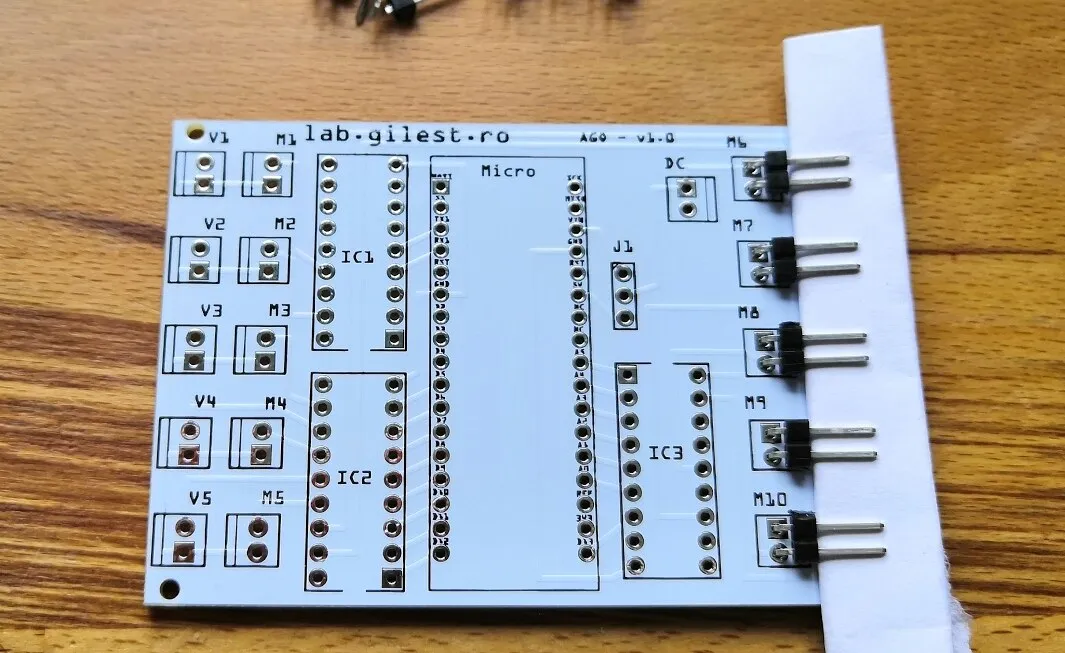
Solder the components from the lowest (closest to the board) to the tallest. After the connectors come the Darlington arrays: IC1 and IC2 with the notch pointing down, IC3 with the notch pointing up. Then solder the 3-way header for jumper J1.
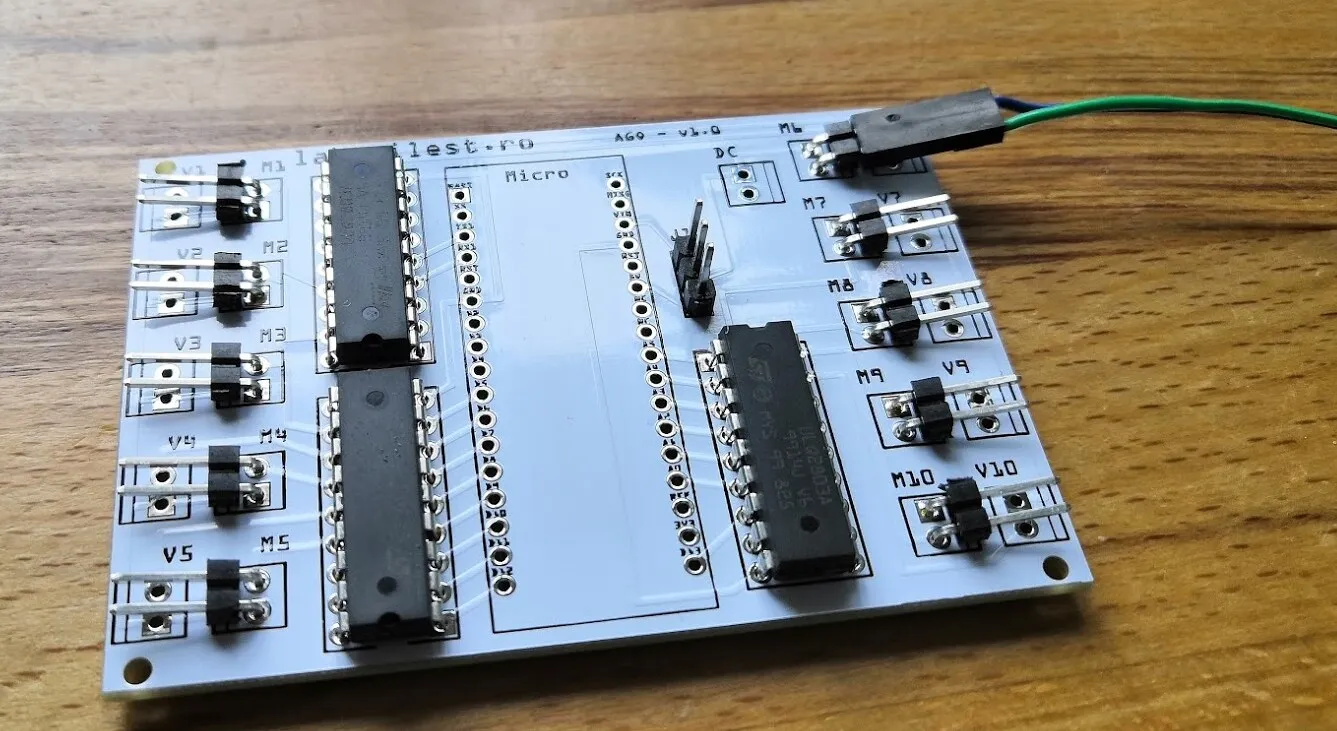
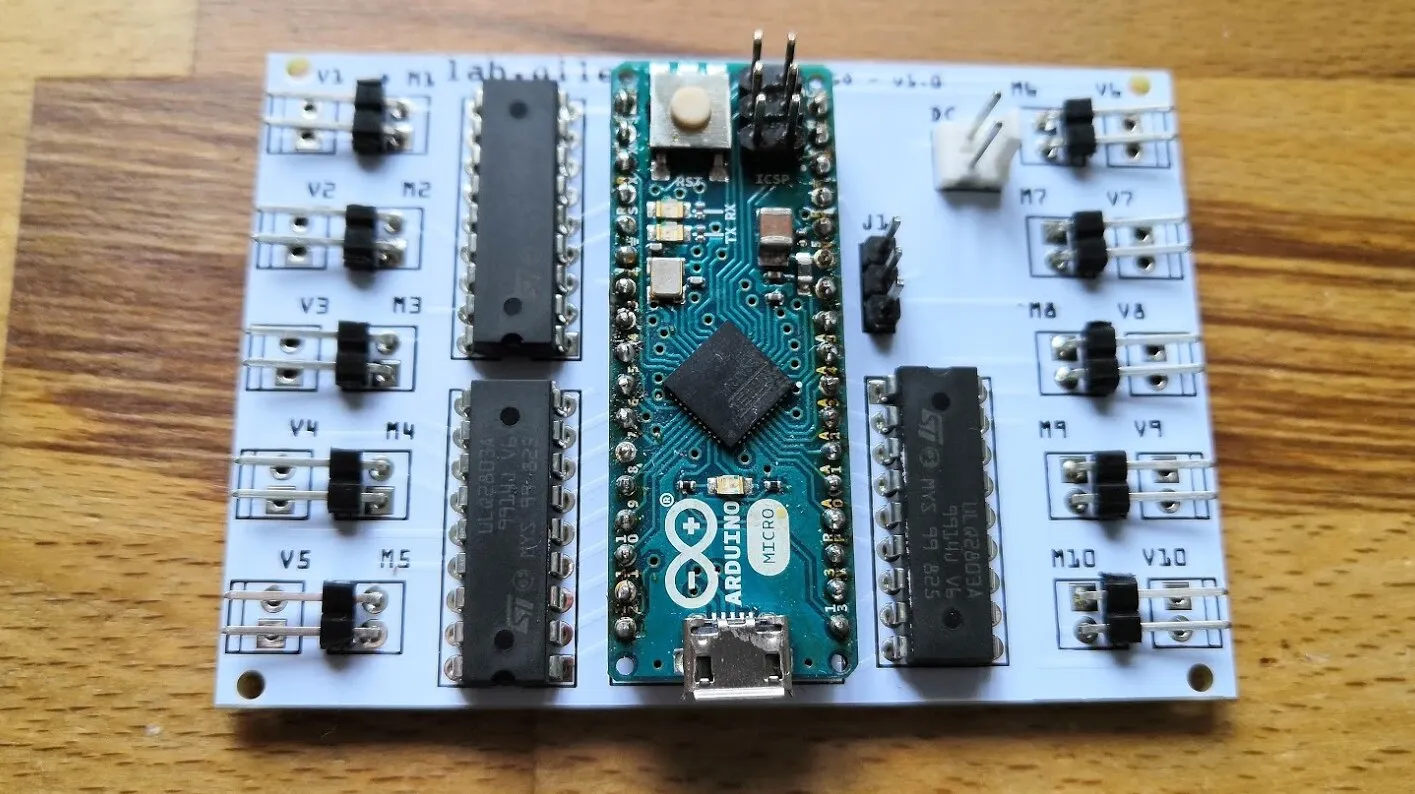
The Arduino Micro can be soldered straight onto the board through its header pins, or plugged into a socket so that it can be removed, although a tall socket may not fit in the case. To save room the lab solders the Arduino directly, but check that everything works first: there is no easy way back.
The jumper J1
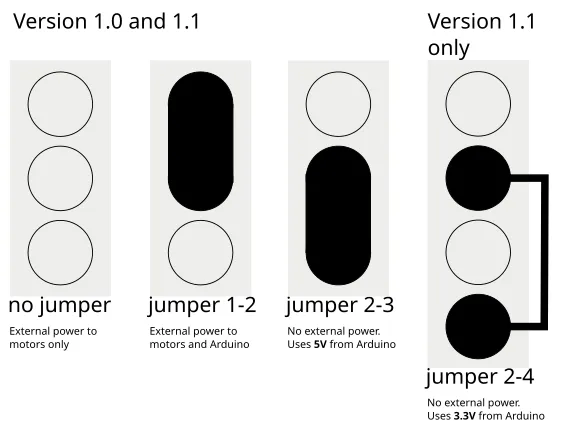
Section titled “The jumper J1”J1 is the only setting on the board. On version 1.0 it has three positions:
- no jumper: the Darlington arrays take their power from the DC input (the default for this module);
- pins 1–2 shorted: the external DC supply powers both the Arduino and the arrays;
- pins 2–3 shorted: the arrays use the Arduino’s 5 V and no external supply is needed. Use this only for low-current loads such as LEDs.
Version 1.1 adds a fourth pin: connecting it to pin 2 powers the arrays from the Arduino’s regulated 3.3 V.
Pin-out
Section titled “Pin-out”The firmware maps channels to connectors so that, on every board version, the even channels 0, 2, …, 18 drive valves V1–V10 and the odd channels 1, 3, …, 19 drive motors M1–M10. The Arduino pins behind them differ between versions 1.0 and 1.1:
| Arduino pin | Alias | Version 1.0 | Version 1.1 |
|---|---|---|---|
| 0 | RX | M1 | V1 |
| 1 | TX | V1 | M1 |
| 2 | V2 | V2 | |
| 3 | M2 | M2 | |
| 4 | V3 | V3 | |
| 5 | M3 | M3 | |
| 6 | V4 | V4 | |
| 7 | M4 | M4 | |
| 8 | V5 | V5 | |
| 9 | M5 | M5 | |
| 10 | V6 | V6 | |
| 11 | M6 | M6 | |
| 12 | V7 | V7 | |
| 13 | M7 | M7 | |
| 14 | A0 | V8 | V8 |
| 15 | A1 | M8 | M8 |
| 16 | A2 | V9 | V9 |
| 17 | A3 | M9 | M9 |
| 18 | A4 | V10 | V10 |
| 19 | A5 | M10 | M10 |
The case
Section titled “The case”The base
Section titled “The base”Print the base on a filament printer at 0.15 or 0.20 mm layer height. Supports are optional and only needed for the slots that take the four M3 nuts. For a roomier case, print the optional spacer or use M3 standoffs (RS 606-686).
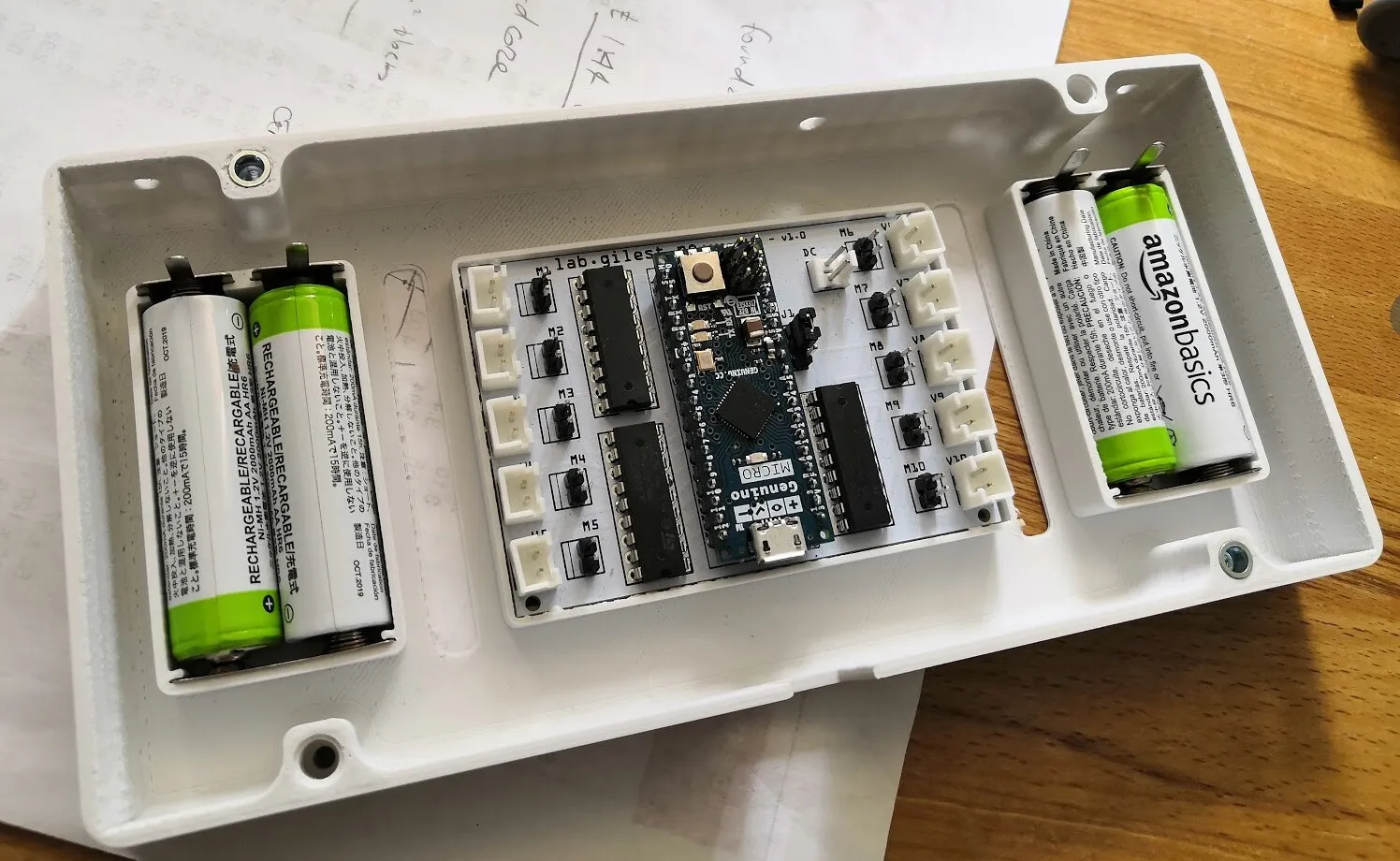
The board clicks into place in the base and needs no screws.
The module can run on batteries, which means fewer cables in the incubator and none of the electrical noise that sometimes caused electronic failures. Four AA cells sit in their own printed compartment and are connected in series, for 4.8 V, with single and double battery contacts. Use NiMH cells of 2300 mAh (RS 476-2033) or 1700 mAh (RS 611-8674). A motor draws at most 25 mA, so a set of four cells can keep one motor turning for about 90 hours; since the motors never run at the same time, this is enough for more than 100 hours of sleep deprivation. Recharge the cells with a 4.8 V USB charger (example), or use a TP4056 charging board (example).
The motor holder
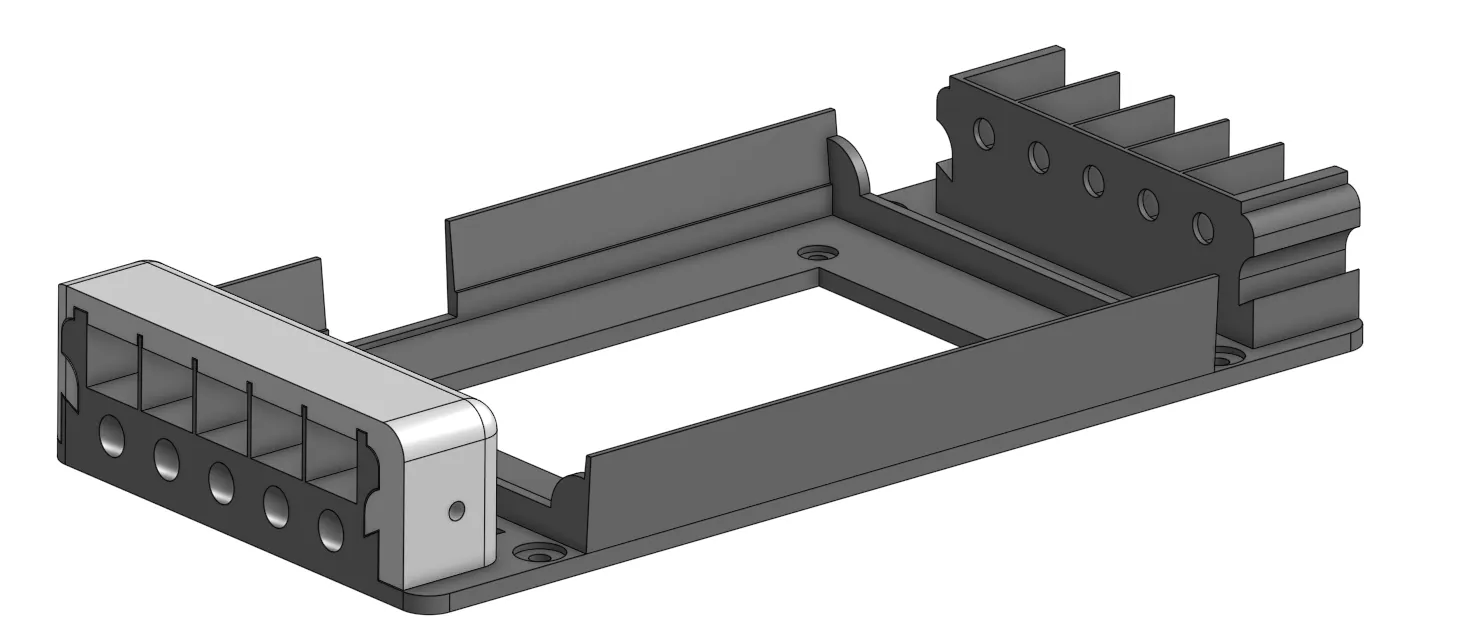
Section titled “The motor holder”Print the motor holder at 0.15 or 0.20 mm layer height, without supports. It holds ten N20 motors, five on each side.
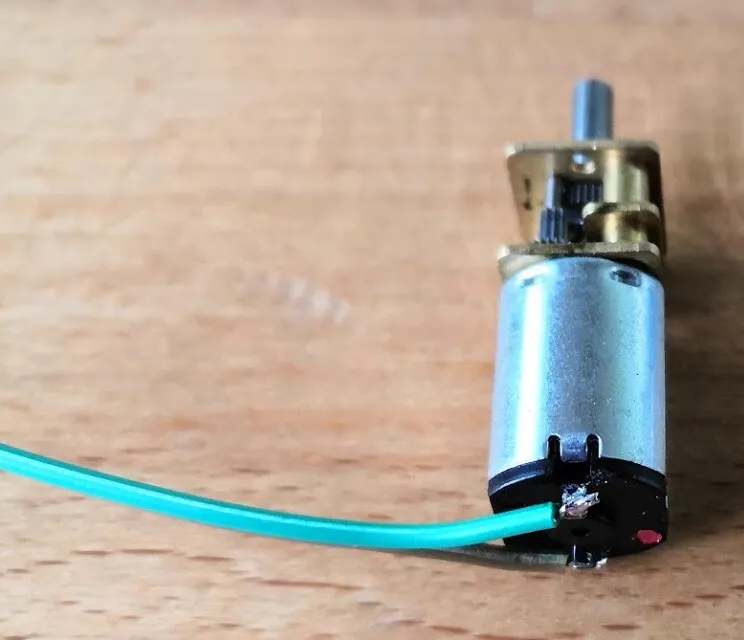
Solder a length of ribbon wire to each motor, at a right angle to the motor to reduce the strain on the wire, and fit a header connector at the other end: one to solder (RS 251-8171), or one with crimps, such as Farnell 2226A-02 housings with Farnell 2226TG crimps. Instructables has a crimping tutorial.
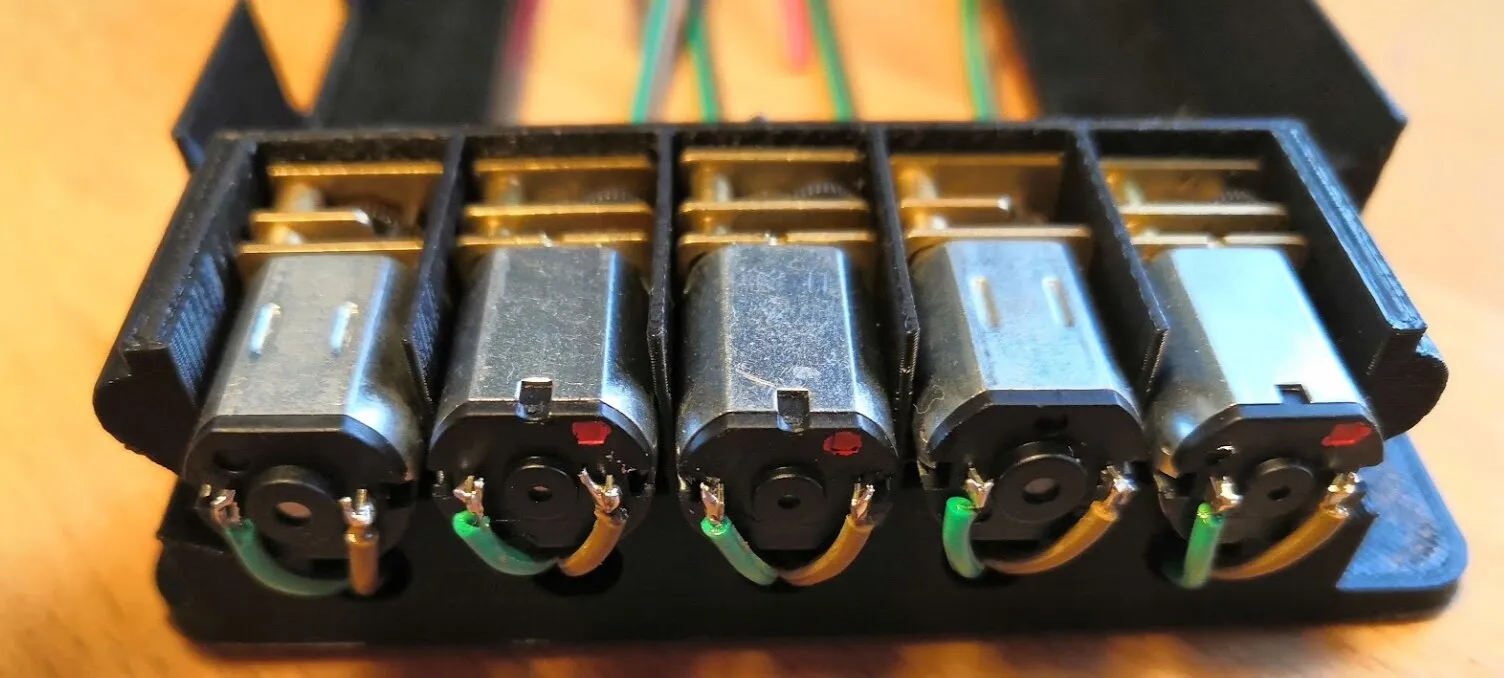
Put the motors in their slots, pass the cables through the opening underneath, and place the holder on the base. Secure the two with four 12 mm M3 screws (RS 467-9802) and four M3 nuts (RS 837-262): the nuts go in through the side openings of the base, the screws from above.
The motor cover
Section titled “The motor cover”The motor cover is printed separately, which makes assembly easier and keeps the structure modular.
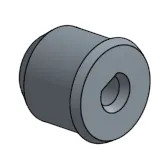
The motor shafts
Section titled “The motor shafts”Print the shafts and fit a piece of silicone tubing (10 mm inner, 12 mm outer diameter) around each to grip the fly tubes better.
Mounting orientation
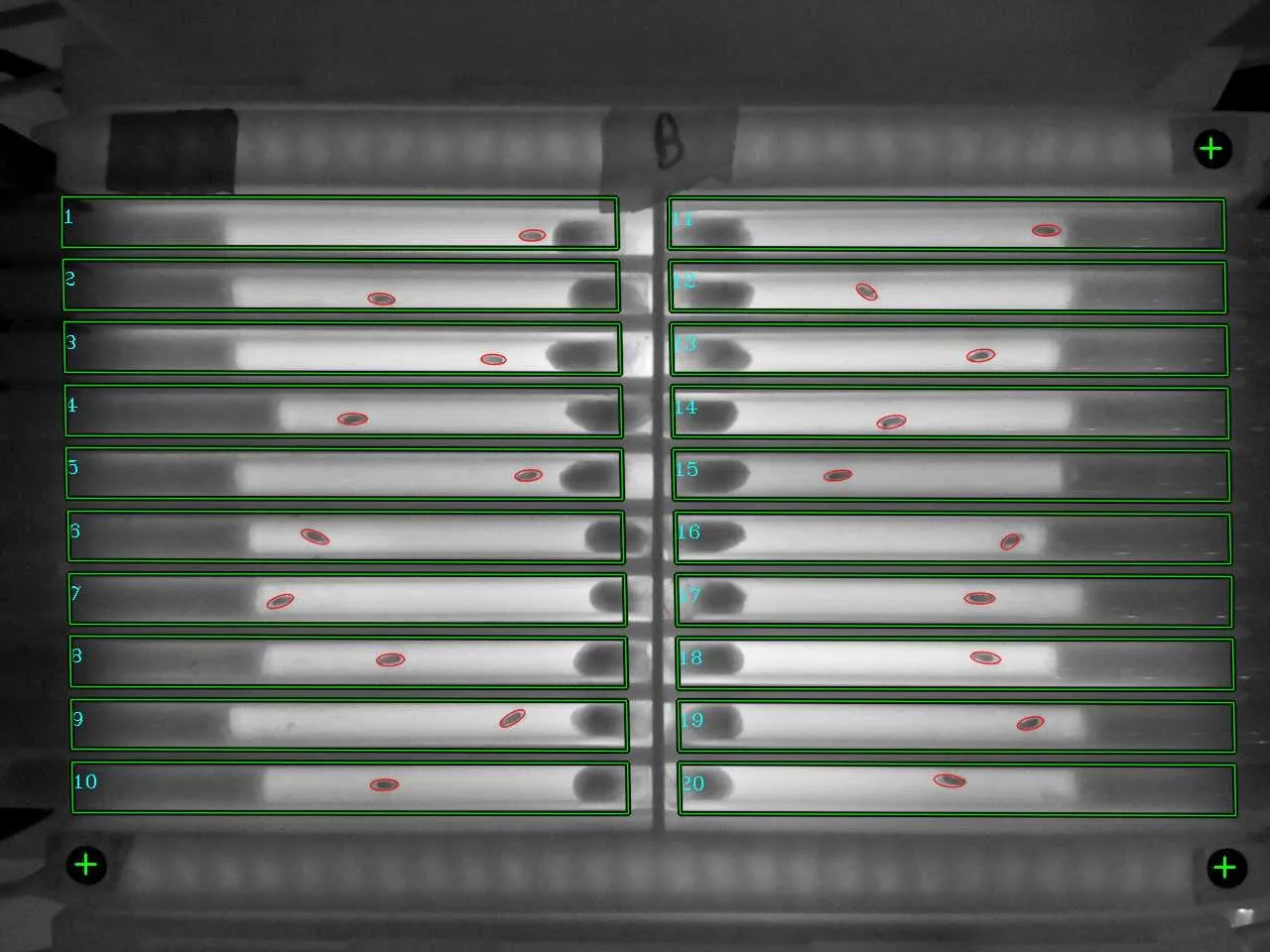
Section titled “Mounting orientation”Tube 1 is on the side of the empty black spot. The I2C power connector at the base of the ethoscope is next to ROI 20 (at the bottom in the picture below). Orient the board the same way, to avoid crossing tubes.
Firmware and use
Section titled “Firmware and use”Load the module firmware with MODULE 0, and check the module from a serial terminal with the commands in the modules overview: D runs every motor in turn, and P 1 750 turns motor 1 for 750 ms. To sleep-deprive flies, choose the mAGO stimulator with stimulus type 1 (motors) when you start tracking.